



How to create a business website without coding – Starting a business website used to feel like a complicated project that required technical skills, expensive tools, or help from a developer. For many small business owners, the hardest part wasn’t the idea itself but figuring out where to begin. The blank screen, endless design options, and technical terms often made the process feel overwhelming before it even started.
Today, things look very different thanks to AI-powered tools that simplify the entire website creation process. Instead of learning how to code or spending weeks experimenting with layouts, you can now describe the kind of site you want and see it start taking shape. This shift makes building a website much more approachable for people who just want to get their business online.
That’s where WordPress.com AI Website Builder comes in as a practical solution for beginners and busy entrepreneurs alike. Rather than forcing you to start from scratch, it guides you through the process of creating pages, layouts, and content step by step. The result is a real website that looks professional without requiring technical knowledge.
One of the biggest advantages is how quickly you can move from idea to an actual working site. Instead of spending hours comparing templates or struggling with design tools, the AI helps organize your site structure and basic content from the start. This means you can focus more on your business and less on figuring out how websites work.
Another important benefit is that you still stay in control of the final result. The AI helps with the heavy lifting, but you can easily adjust the text, images, layout, and colors to match your brand. This balance makes the process feel collaborative rather than automated.
For small business owners who normally rely on freelancers, this approach can save both time and money. You can launch a credible website without waiting weeks for someone else to build it. At the same time, you keep the flexibility to update your content whenever you want.
Read Also: Why Your Business Still Needs a Website in 2026?
Why Use the WordPress.com AI Website Builder
When you start looking for an AI website builder, you’ll quickly notice that many tools promise fast results. While speed is important, what really matters is whether you can still manage and improve your site later. A good website builder should help you launch quickly without limiting what you can do afterward.
This is where the WordPress.com AI Website Builder stands out. Instead of simply generating a basic site and leaving you with something difficult to modify, it helps you build a complete website that remains fully editable. You get the convenience of AI assistance while still keeping full control over your site.
Another great thing about the platform is that you can try using the AI website builder for free. This allows you to explore the process, generate your website, and see how everything works before committing to a paid plan. It’s a helpful way for beginners to experiment without feeling pressured to pay right away.
The creation process itself is designed to feel simple and guided. Instead of starting with a blank page, you describe your business, your goals, and the type of site you want to build. The AI then turns that information into pages, layouts, and content that give your site a strong starting point.
What makes this builder especially useful is that the website is created using WordPress blocks. These blocks act like flexible building pieces that allow you to edit and organize your content easily. Even if you have never built a website before, adjusting your pages becomes much more straightforward.
With the block system, you can move sections around, update text, replace images, or add new elements whenever you want. You’re not locked into a rigid template that’s difficult to change. Instead, you can shape your website to match your brand and preferences.
This flexibility becomes even more valuable as your business grows. You can continue refining your pages, adding new content, or expanding your site without needing to rebuild everything from scratch. The structure is designed to support long-term updates and improvements.
How to Create a Business Website Without Coding
Creating a business website used to feel like a complicated project that required technical skills or hiring a developer. For many small business owners, the idea of dealing with code, design tools, and hosting settings was enough to delay launching their site for months. The good news is that building a website has become much simpler thanks to modern tools that guide you through the process.
With the help of the WordPress.com AI Website Builder, you don’t have to start from a blank screen or figure everything out on your own. Instead, the platform helps you generate the basic structure of your website by simply describing what you want to create. This makes the entire process much more approachable, especially if you have never built a website before.
Rather than spending hours experimenting with templates and layouts, the AI helps you create pages, sections, and initial content in a more guided way. You still remain in control of how the site looks and what it says, but the heavy lifting is handled for you. This balance makes it easier to focus on your business while your website starts taking shape.
Another helpful aspect is that everything is built using WordPress blocks. These blocks make it easy to edit your content, rearrange sections, and customize your pages whenever you want. Even after your site is created, you can continue refining it without worrying about breaking anything.
If you’re ready to launch a professional-looking business website without writing a single line of code, the process is actually quite straightforward. In the following steps, we’ll walk through exactly how to get started and turn your idea into a live website.
Step 1: Start by Describing the Business Website You Want to Build
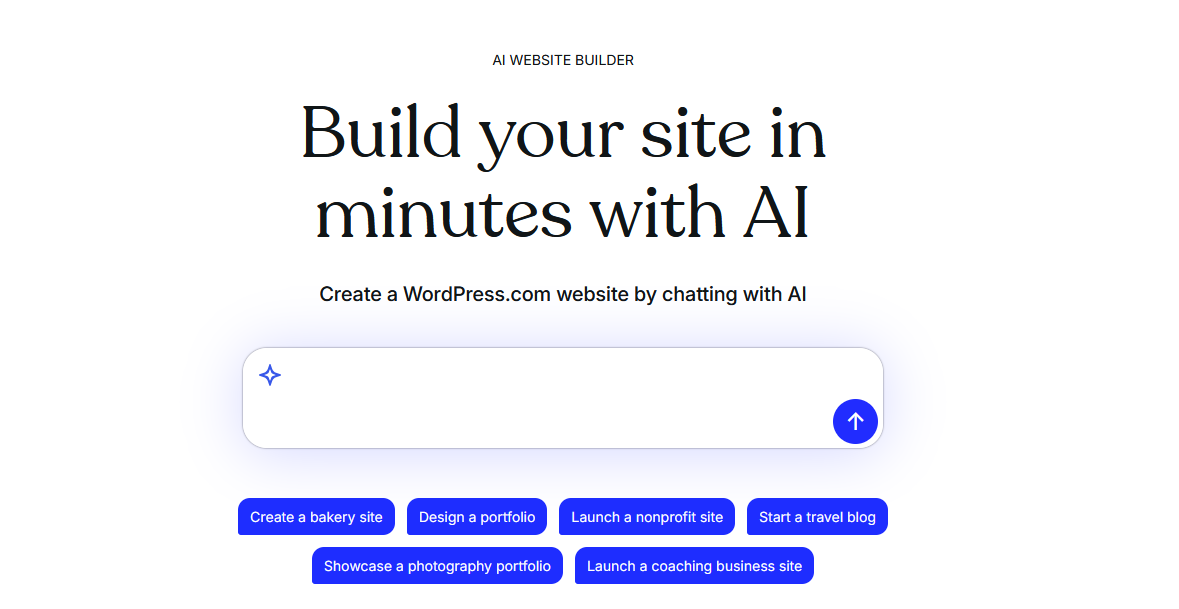
To begin the process, the first thing you need to do is visit THIS LINK to access the WordPress.com AI Website Builder. Once you arrive on the page, you will see a prompt where you can describe the type of business website you want to create. This is where the process starts, and it’s much simpler than traditional website building.
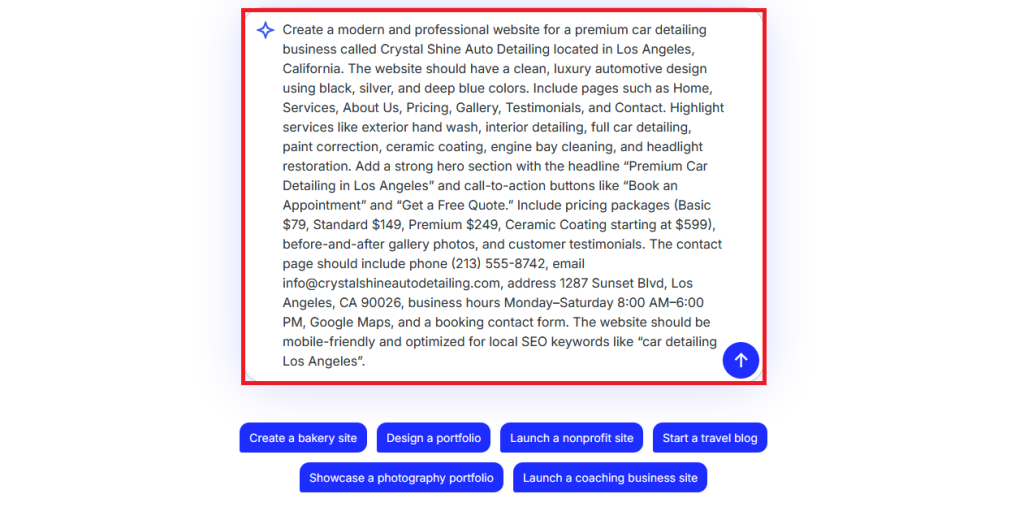
In the prompt field, you can write a clear description of the website you have in mind. For example, you might explain what your business does, who your target customers are, and the type of pages you want on the site. The more details you include, the easier it will be for the AI to understand your idea and generate a website that matches your needs.
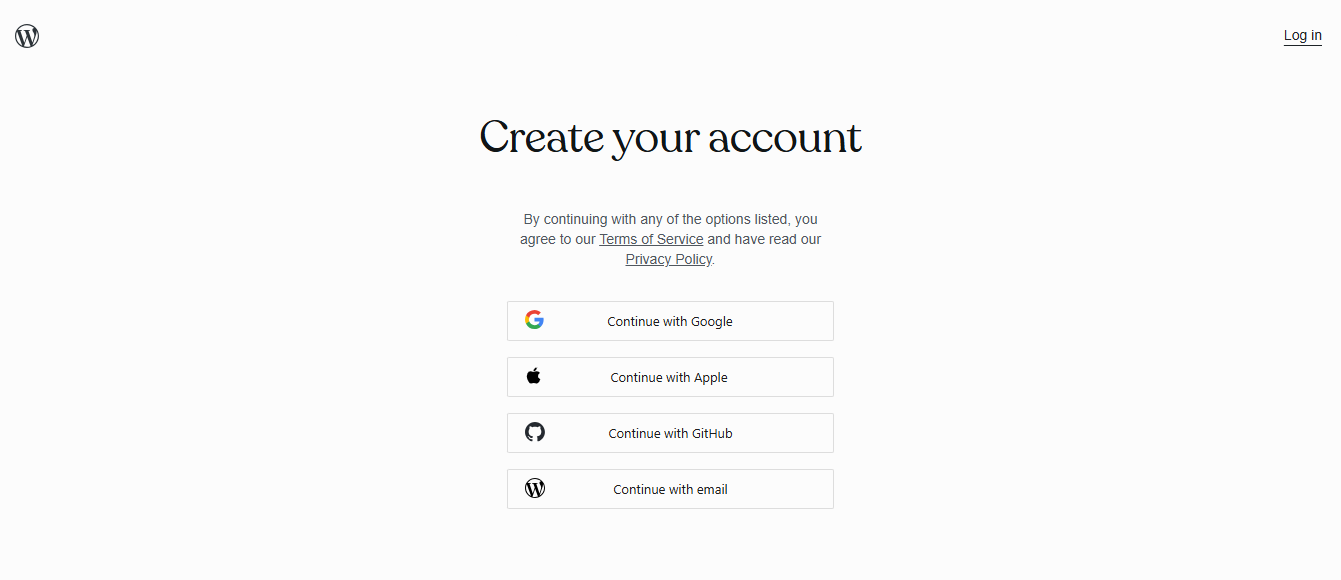
After submitting your description, the next step is creating your WordPress.com account. You will be redirected to the account creation page where you can sign up before continuing the website building process. This step only takes a moment and ensures your website will be saved and managed under your account.
WordPress.com provides several convenient ways to create an account. You can sign up using your Google, Apple, GitHub, or email account, depending on what feels easiest for you. Simply choose the method you’re most comfortable with and complete the sign-up process.
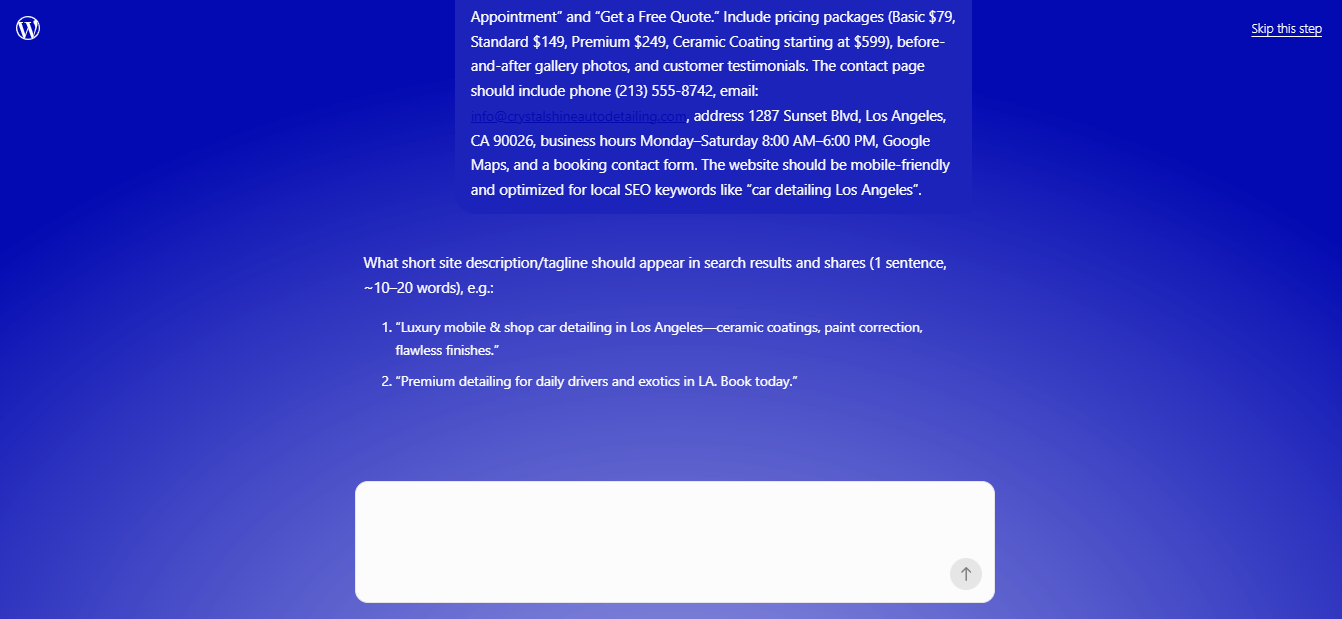
Once your account is created, the AI will begin asking a few questions about the business website you want to build. These questions help the system understand your goals, style preferences, and the type of content your website should include. Think of it as a short conversation that helps guide the website creation process.
It’s important to answer each question as clearly as possible. Your responses will help the AI generate pages, layout ideas, and content that fit your business. The more accurate your answers are, the closer the generated website will be to what you have in mind.
Step 2: Review the Website Details and Generate Your Site
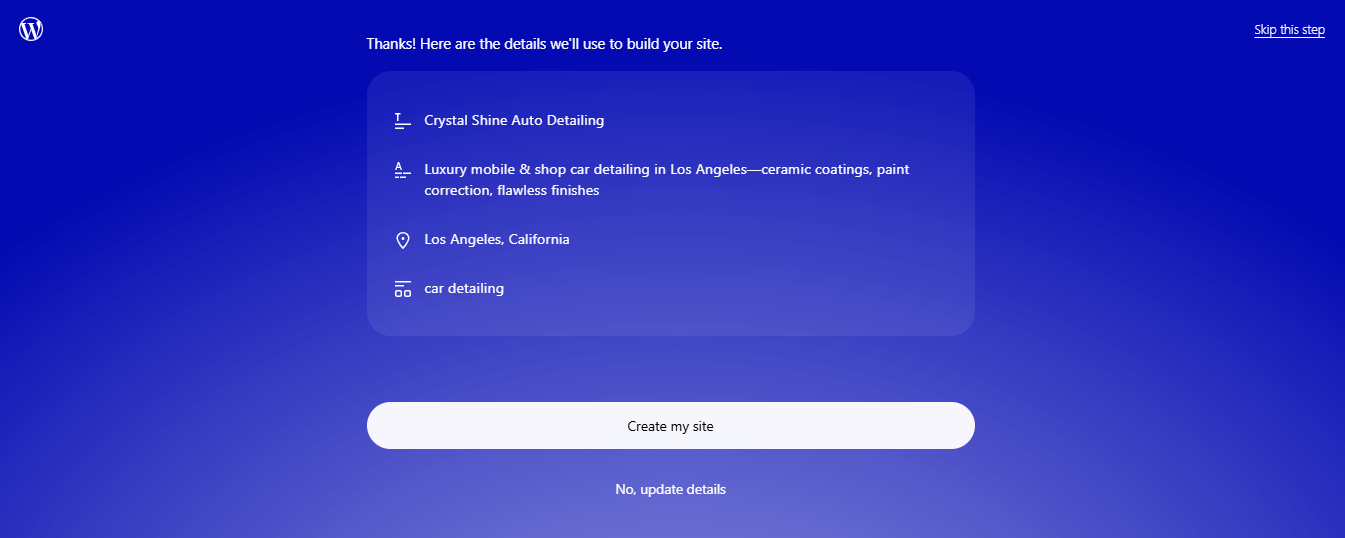
After you finish answering the questions from the AI, the next step is reviewing the website details it has prepared for you. At this stage, the system will summarize the information you provided, including the type of business, the style of the website, and the main pages that will be created. This preview helps you confirm that everything matches what you want before the website is generated.
Take a moment to read through the details carefully. If something doesn’t feel right, you can still adjust the information before moving forward. This step ensures the AI builds your website based on the most accurate description possible.
Once everything looks good, you’ll see a button labeled “Create my Site.” This is the point where the AI starts building your website using the information you provided earlier. Simply click the button to begin the generation process.
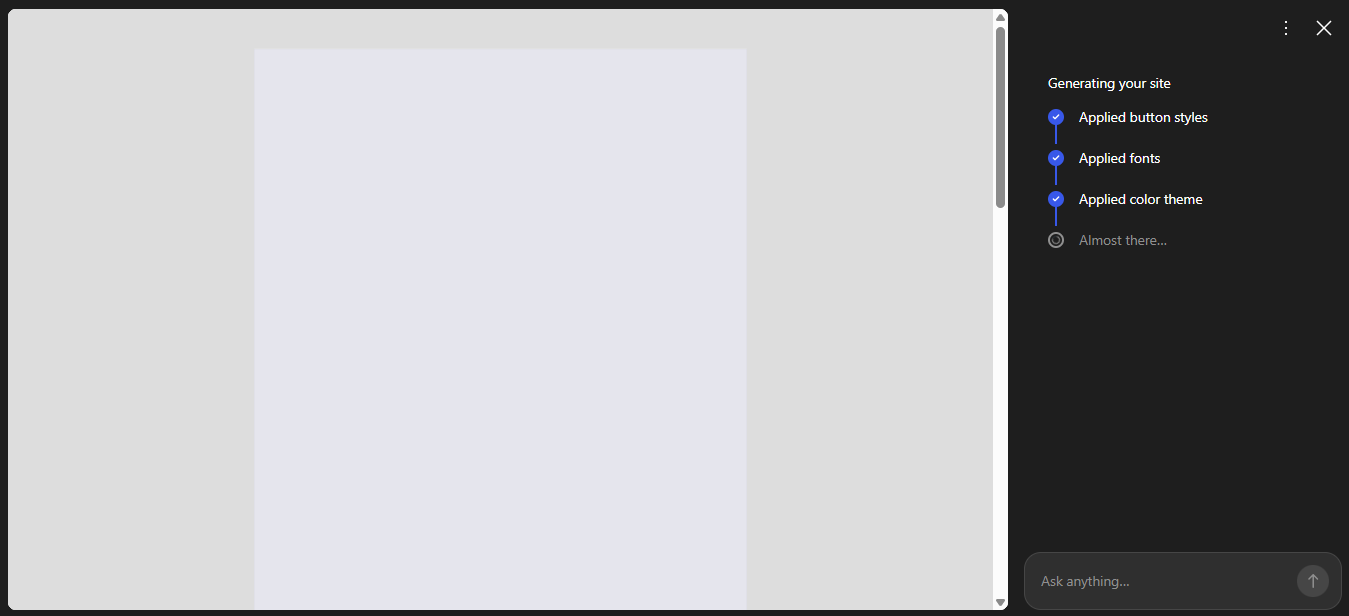
After that, the system will start creating the pages, layout, and basic content for your business website. The AI uses your descriptions and answers to generate a structure that already looks organized and professional. Instead of building each page manually, the site begins taking shape automatically.
You’ll just need to wait a few minutes while the process runs in the background. In most cases, it takes less than five minutes for the website to be generated. During this time, the platform is preparing the layout, sections, and initial content for your site.
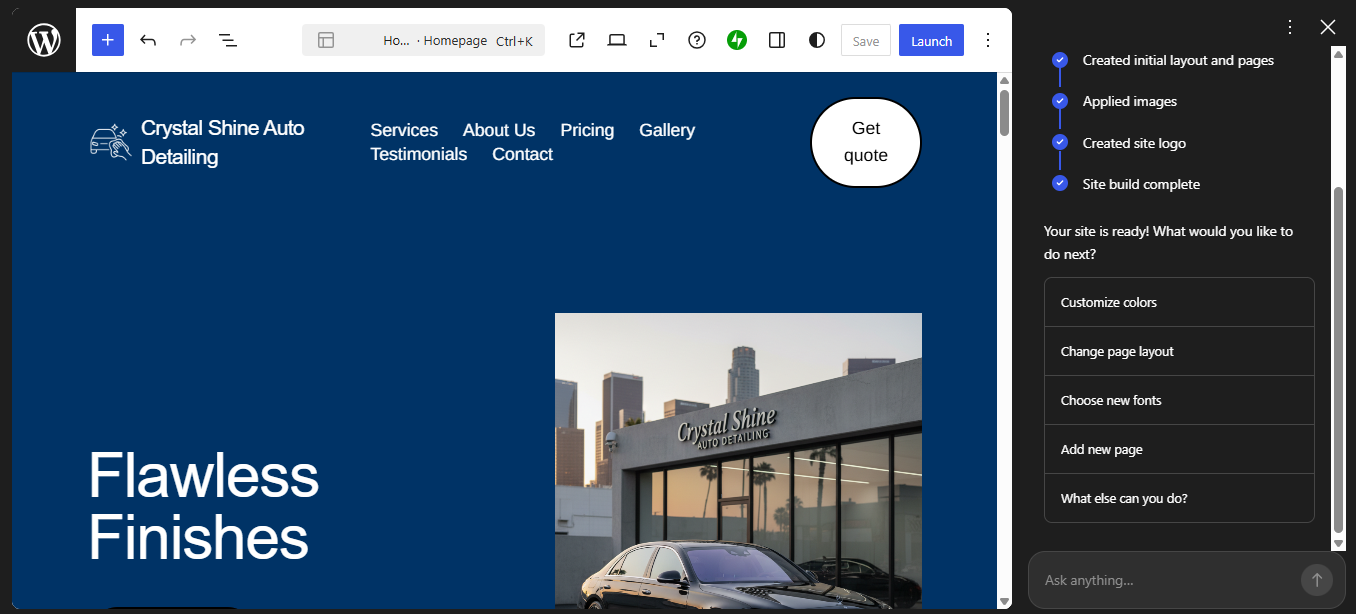
Once the process is finished, you’ll be taken to your newly created website inside the WordPress editor. From there, you can explore the pages, review the design, and start making adjustments if needed. Your site is now ready for customization and refinement.
Step 3: Adjust and Customize Your Website
Once your website has been generated, the next step is adjusting and customizing it so it better matches your business. The AI builder already creates the basic layout, pages, and content for you, but you can easily refine everything inside the WordPress editor. This is where you begin turning the generated site into something that truly reflects your brand.
To adjust and customize your website, I’ve already put together an article called “10 Things You Can Do With WordPress AI Site Builder” that can help you get started. Feel free to check it out and try applying some of the ideas directly to your own WordPress site.
With AI, you can tweak and manage almost every element or block on your website. It’s actually pretty simple – just click on the block or section you want to change, then type your instructions into the AI command field. From there, the AI will handle the rest and adjust things based on what you asked for.
Step 4: Launch Your Website and Choose a Plan
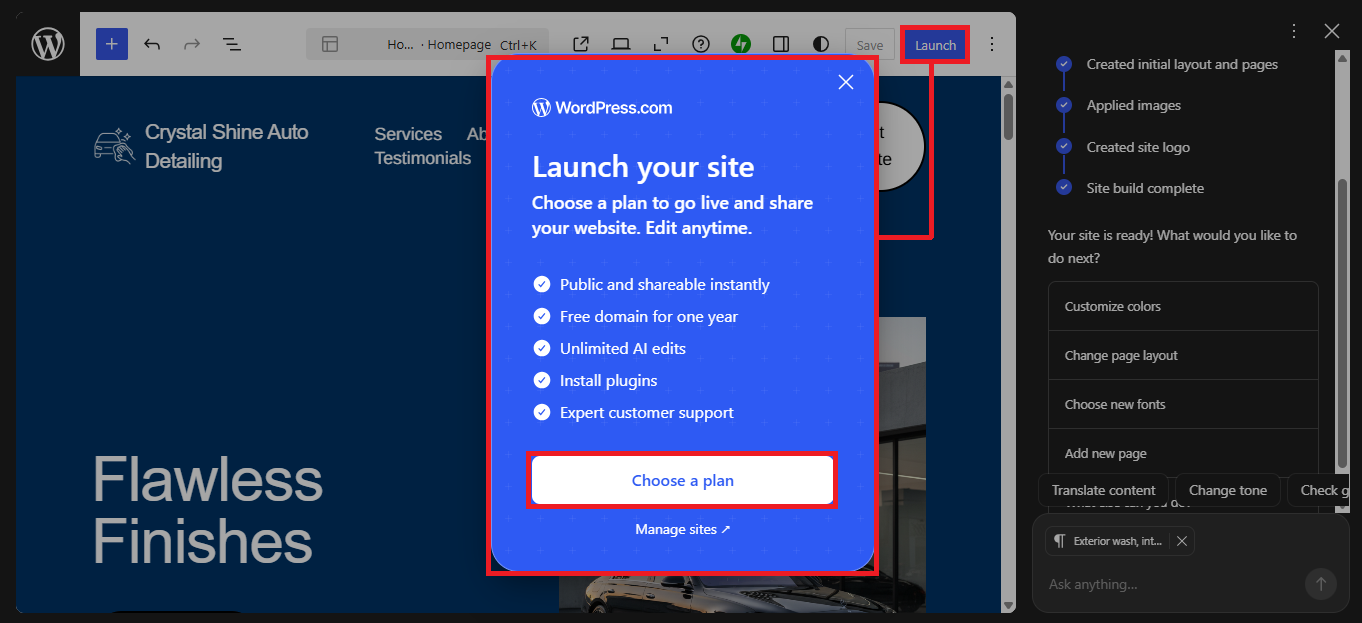
After you finish adjusting the layout, content, and images, the final step is launching your website. To do this, simply click the “Launch” button located at the top of the editor. This button will start the process of publishing your website so it can go live on the internet.
Once you click the Launch button, a popup will appear asking you to continue with the next step. From there, just click the “Choose Plan” button to move forward. This step is required because your website needs an active plan before it can be published publicly.
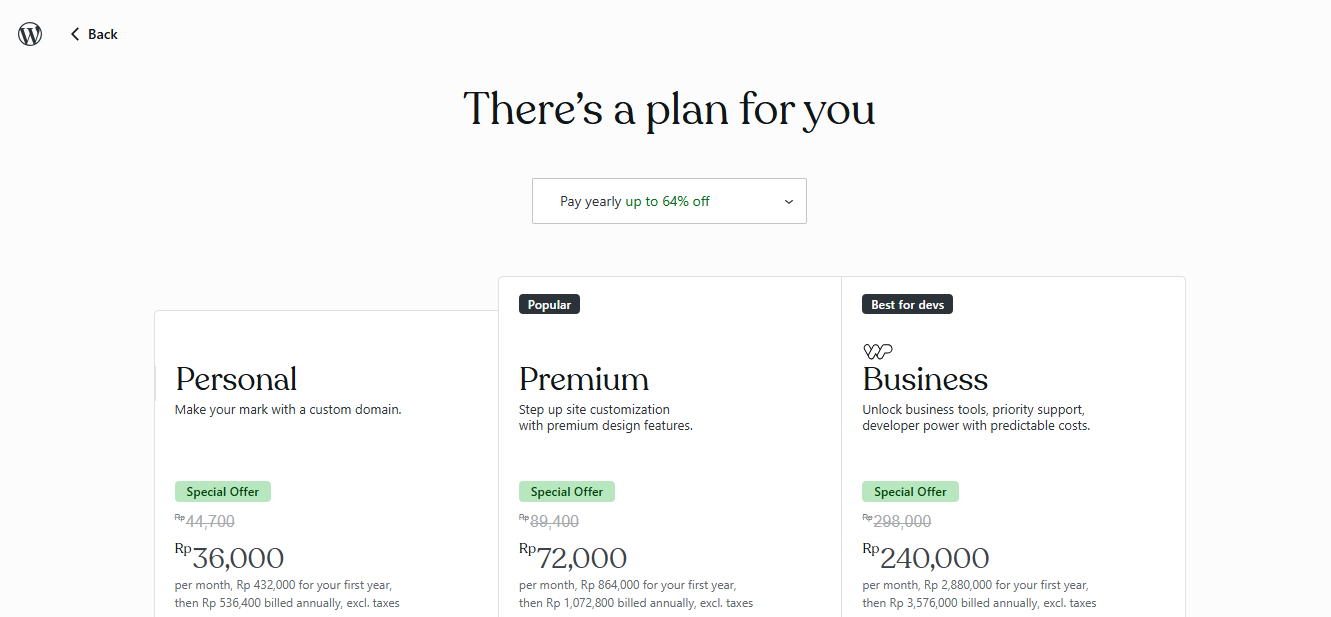
On the next page, you’ll see several plans that you can choose from depending on your needs. Each plan offers different features and capabilities that help support your website. For many users, this is simply a matter of selecting the option that best fits your business goals and budget.
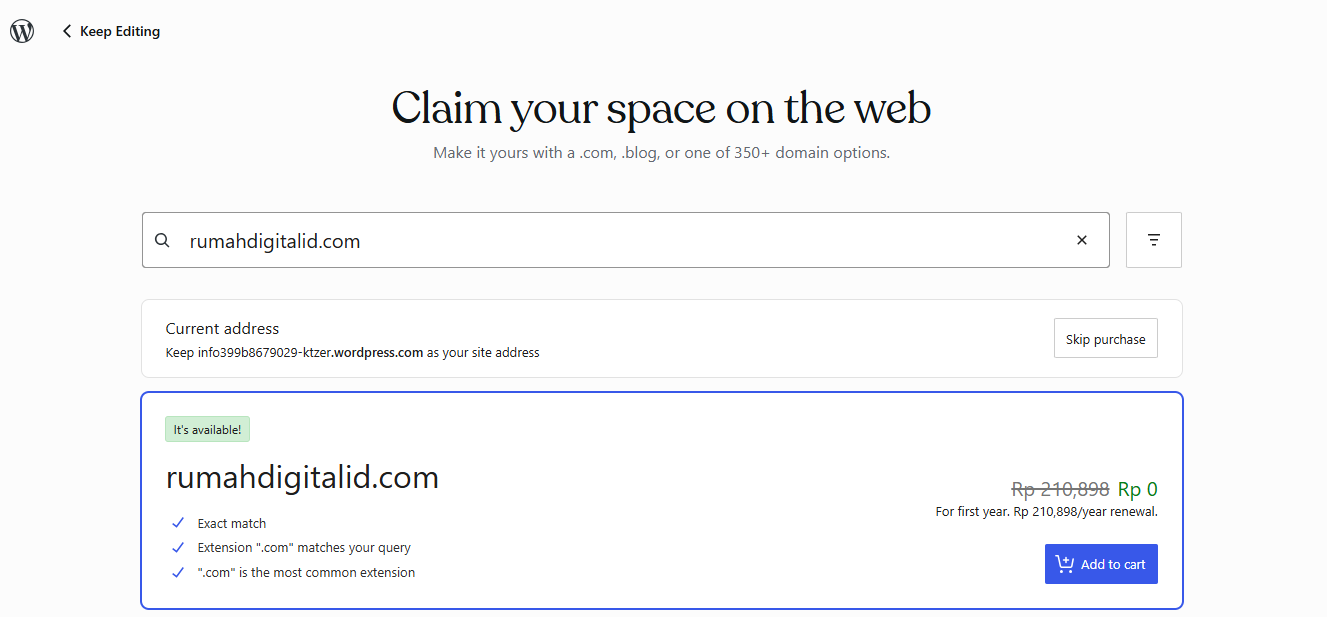
Another benefit of purchasing a plan is that you’ll receive a free domain name for your website. This means your website won’t appear with the default address like businessname.wordpress.com. Instead, you can use a cleaner and more professional domain such as yourbusinessname.com.
Having your own domain name not only makes your website look more professional but also improves credibility with customers. Visitors tend to trust businesses more when they see a custom domain rather than a subdomain. In the end, this small step can make your business website feel much more legitimate and polished.
>>> TRY WORDPRESS.COM AI WEBSITE BUILDER FREE <<<
Final Thoughts
Creating a business website used to feel like a complicated project that required technical knowledge, expensive tools, or help from a developer. Today, that barrier is much lower thanks to tools like the WordPress.com AI Website Builder. Instead of dealing with code or complicated setup processes, you can simply describe the website you want and let the AI help bring it to life.
One of the biggest advantages of this approach is how quickly you can move from idea to a real website. Within just a few minutes, you can generate a complete site structure, adjust the content, and refine the design to match your business. This makes launching a professional website much more accessible, even if you have never built one before.
Another important benefit is the level of flexibility you still have after the site is created. Because the website is built using WordPress blocks, you can easily adjust the layout, text, images, and design whenever you want. Whether you prefer using AI prompts or editing things manually, the platform gives you full control over your site.
As your business grows, your website can grow with it. You can continue adding new pages, updating content, and improving the design without needing to rebuild everything from scratch. This makes your website a long-term asset rather than a one-time project.
If you’ve been putting off creating a website because it felt too technical or time-consuming, this is a great time to start. With the help of WordPress.com AI, you can launch a professional business website faster and with far less effort than before. All it takes is describing your idea and letting the platform guide you through the process.