



I’ve built a few websites before, and honestly, it was never a smooth experience. There was always something to figure out, whether it was design, layout, or just getting things to look right. So when I heard about the WordPress.com AI Website Builder, I was curious but also a bit skeptical.
At first, I wasn’t sure what to expect from an AI-powered tool like this. Part of me thought it would be too basic or too generic to be useful. But another part of me wondered if it could actually save a lot of time.
What really caught my attention was the idea of building a website just by describing it. No dragging elements around for hours, no starting from a blank page. That alone sounded like a completely different way of doing things.
I decided to give it a try without overthinking it too much. I just followed the process, answered the prompts, and let the AI do its thing. I wanted to see how far it could go without me interfering too much.
The first result was… interesting. It wasn’t perfect, but it also wasn’t something I’d dismiss right away. In fact, it felt like a solid starting point that I could actually work with.
As I spent more time exploring it, I started to understand where this tool really shines. It’s not just about speed, but also about removing that initial friction when you don’t know where to begin. That’s something I think a lot of people struggle with when building a website.
So in this article, I’m going to share my honest thoughts after trying it out myself. If you’re curious whether this tool is worth your time, this should give you a clearer picture.
My First Impression Using WordPress.com AI Site Builder
The first time I tried the WordPress.com AI Website Builder, I wasn’t expecting much. I thought it would be another tool that sounds impressive but still needs a lot of manual work. But from the moment I started, it already felt a bit different.
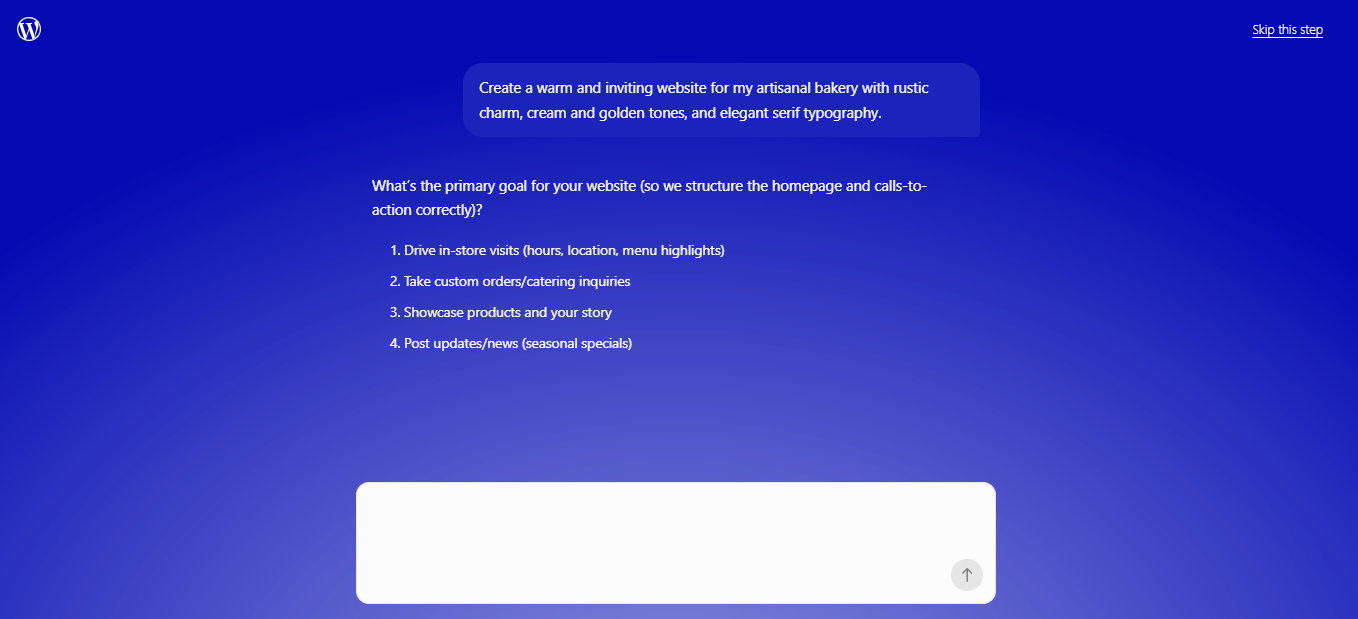
Instead of throwing me into a complex dashboard, it guided me through a simple starting process. I was asked a few questions about the kind of website I wanted to create. It felt less like building and more like explaining an idea.
What I liked right away was how little friction there was. I didn’t have to pick themes, arrange layouts, or think about structure from the beginning. I could just focus on describing what I needed.
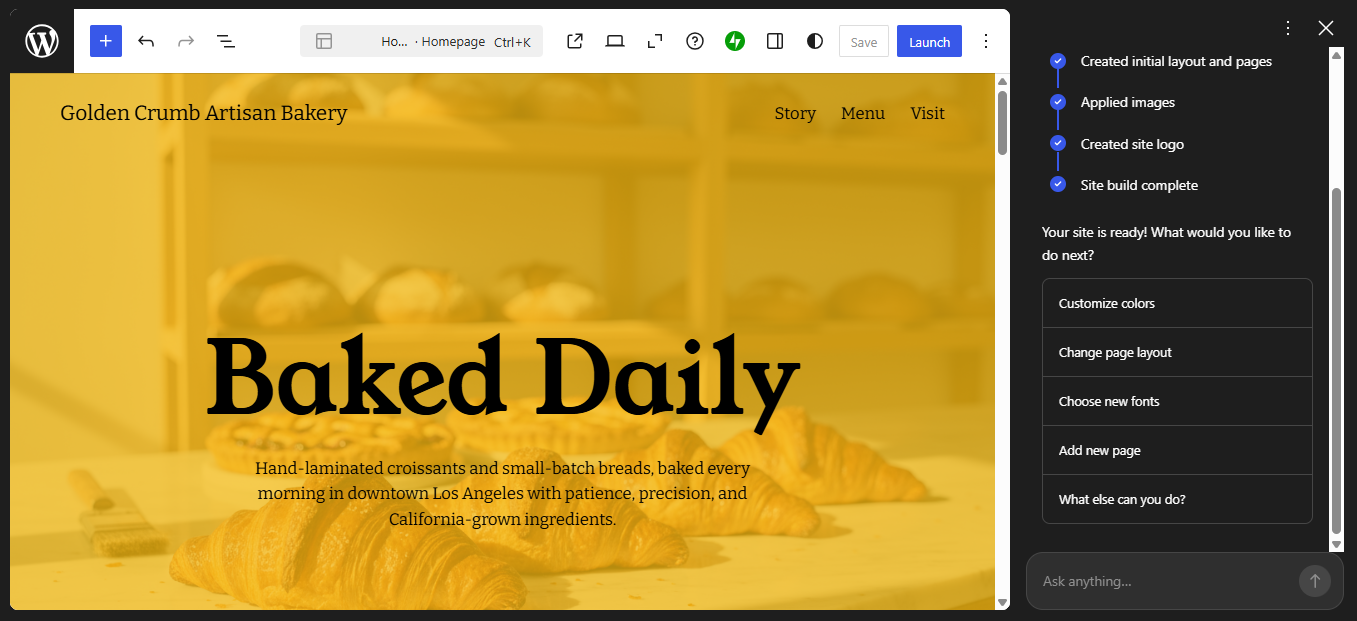
When the AI generated the first version of the website, I was honestly a bit surprised. It wasn’t just a blank template with placeholders. It actually looked like a real website that someone had already worked on.
The layout made sense, the sections were already in place, and even the content felt usable. Of course, it wasn’t perfect, but it gave me something solid to start with. That alone saved me a lot of time.
At that point, I started to realize that the real strength of this tool is not just speed. It’s the ability to remove that early confusion when you don’t know where to begin. Instead of starting from zero, you start with direction.
If you’re wondering what this tool can actually do beyond just generating a basic site, I’ve actually covered that in detail in “WordPress AI Site Builder: 10 Things You Can Do With WordPress AI Site Builder“. That article breaks down the features in a more practical way, so you can see the full picture.
Because once you start exploring it more, you’ll notice it’s not just about creating pages. It helps with structure, content ideas, and even how your website is presented. That’s something I didn’t fully expect at the beginning.
Even so, I still found myself making adjustments here and there. Some parts needed to be refined to better match what I had in mind. But the difference is, I wasn’t building – I was improving.
Overall, my first impression was that this tool genuinely changes how the starting phase feels. It turns what is usually the hardest part into something much more manageable. And for a lot of people, that alone is a big deal.
What I Like About WordPress.com AI Site Builder
After spending some time exploring it, I started to notice a few things that really stood out. Not just in terms of features, but in how the whole experience felt compared to building a website the usual way. Some of these were small details, but they made a noticeable difference.
What I appreciate most is how this tool changes the early stage of building a website. Instead of feeling stuck or overwhelmed, I felt like I had a clear starting point right away. That alone made the process feel a lot more approachable.
Of course, no tool is perfect, but there are definitely several things I genuinely liked while using it. These are the parts that made me think, “okay, this is actually useful.” Let me break down what stood out the most for me.
1. It Saves a Lot of Time
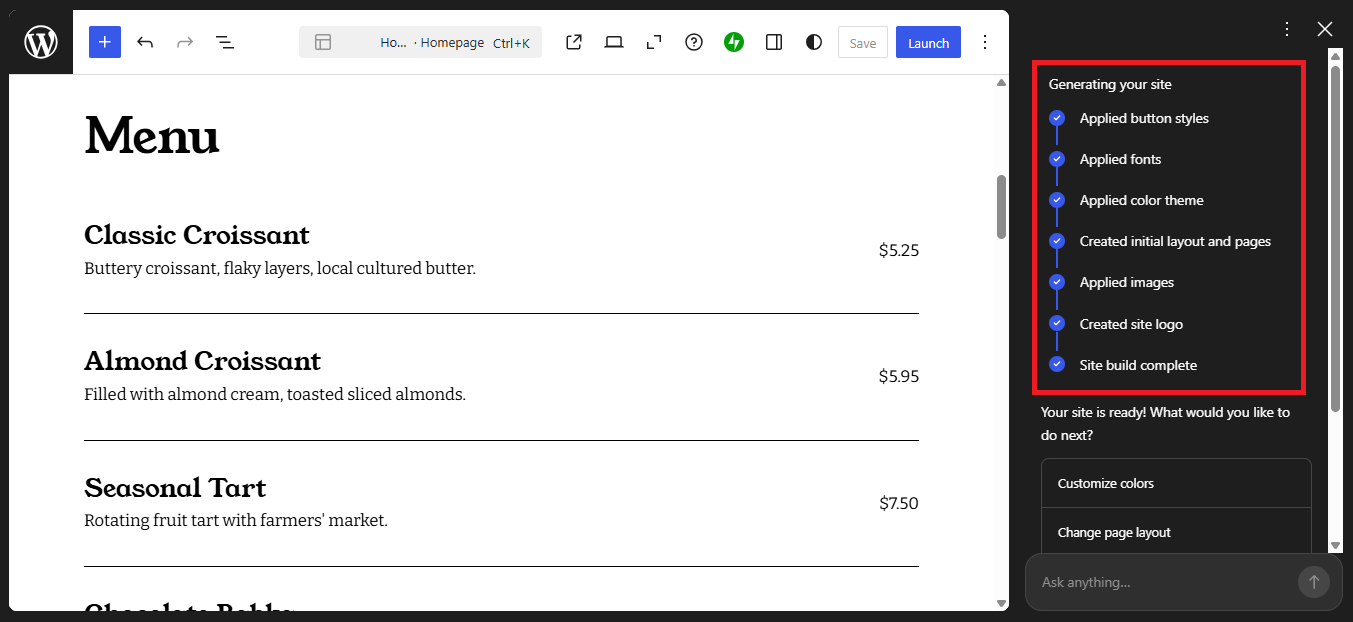
One of the first things I really noticed was how much time this tool saved me. Normally, I would spend hours just setting up the basic structure of a website. Things like choosing a layout, creating sections, and arranging content usually take longer than expected. Here, that whole phase felt almost instant.
Instead of starting from a blank page, I was given something that already looked complete. The AI handled the initial setup in a way that made sense, so I didn’t have to overthink every small decision. I could immediately move into refining rather than building from scratch. That shift alone made the process feel much more efficient.
What surprised me the most was how quickly everything came together without feeling rushed. Even though it was fast, the result still felt structured and usable. I didn’t feel like I was sacrificing quality just for speed. For anyone who values time, this is probably one of the biggest advantages.
2. It Makes Website Creation Feel Less Overwhelming
Another thing I really liked was how this tool made the whole process feel less overwhelming. Building a website usually comes with a lot of small decisions that can slow you down. From layout choices to content structure, it can quickly feel like too much. Here, a lot of that pressure was reduced from the start.
Instead of facing a blank page and wondering what to do next, I was given a clear direction. The AI already suggested sections and flow, which helped me understand how my website could look. It felt like having a guide rather than figuring everything out alone. That made a big difference, especially in the early stage.
I also didn’t feel the usual hesitation that comes with starting something new. Normally, I second-guess my decisions when building a site manually. But with this, I was more focused on improving what was already there. It turned the process into something more relaxed and less stressful.
This reminded me of why many people struggle to build websites in the first place. It’s not always about skill, but about where to begin. By removing that uncertainty, this tool makes website creation feel much more approachable. And that’s something I think a lot of beginners will appreciate.
3. It Helps Generate Content
One thing I didn’t expect to appreciate this much was the content generation. Writing website copy is usually one of the hardest parts for me. It’s not always easy to come up with the right words, especially when you’re just starting. But here, the AI gives you something to work with right away.

The content it generates isn’t perfect, but it’s surprisingly usable. Headlines, short descriptions, and basic sections are already filled in. Instead of staring at an empty page, I could immediately start editing and improving what was there. That made the process feel much more productive.
What I like most is how it removes that initial mental block. You don’t have to think too hard about what to write from the beginning. You just tweak, adjust, and make it your own. And for me, that’s a much easier way to approach building a website.
4. It Feels Beginner-Friendly
Another thing I genuinely liked is how beginner-friendly the whole experience feels. Everything is simple enough to understand, even if you’ve never built a website before. There’s no steep learning curve or confusing technical setup to deal with. You can just jump in and start.
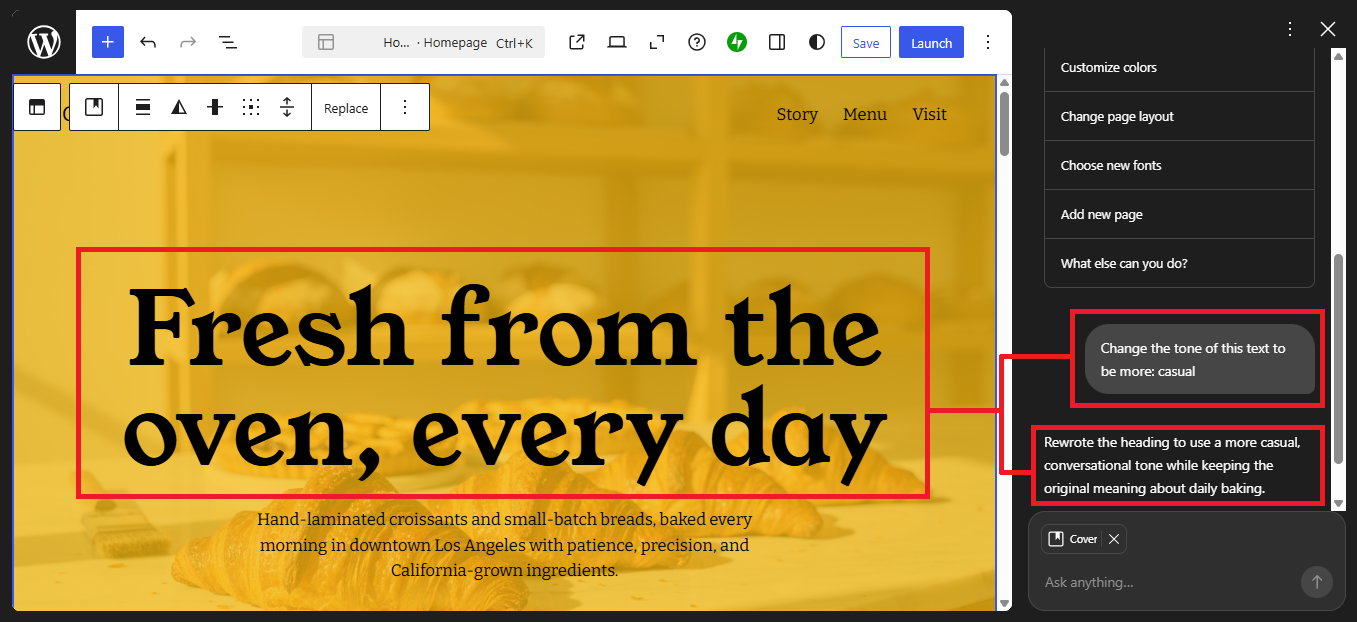
At the same time, it doesn’t feel overly restrictive. I still had room to make changes, adjust sections, and tweak the design based on what I wanted. It didn’t lock me into something rigid where I couldn’t customize anything. That balance between simplicity and flexibility felt just right.
Because of that, it works well for people at different levels. Beginners can rely on it to get started quickly, while more experienced users can still refine things further. It doesn’t try to overwhelm you, but it also doesn’t hold you back. And that’s not something every tool manages to do well.
>>> TRY NOW FOR FREE <<<
What I Don’t Like About WordPress.com AI Site Builder
As much as I like the overall experience, there are still a few things that didn’t quite meet my expectations. One of the biggest limitations I noticed is related to building an online store. If your goal is to create an eCommerce website, the AI builder doesn’t fully support that yet. At least for now, that’s something you’ll need to handle differently.
I think this is important to point out because many people today want to build online stores, not just simple websites. Whether it’s selling products or services, eCommerce is a big use case. So naturally, you might expect the AI to help with that as well. Unfortunately, that’s not really the case at the moment.
Another limitation I noticed is related to access and flexibility. While the initial AI-generated website is helpful, you can’t fully use the AI for additional pages unless you’re on a paid plan. This means the experience can feel a bit restricted after the first setup. Especially if you were expecting to rely on AI for ongoing content creation.
For example, if you want to create new pages using AI or expand your site further with the same ease, you’ll quickly run into that limitation. It becomes clear that some of the more useful capabilities are tied to the paid version. That’s not unusual, but it’s something you should be aware of from the start.
Because of these limitations, the experience isn’t completely seamless from beginning to end. It starts off very smooth and easy, but then you may need to switch approaches depending on what you want to build. That can feel a bit inconsistent, especially if you were expecting everything to stay automated.
That said, I don’t think this is a dealbreaker. It’s more of a reminder that no AI website builder is perfect, including the WordPress.com AI Website Builder itself. Like any tool, it has its strengths and its limits, and understanding both is what helps you use it more effectively.
Final Thoughts
After trying it myself, I think this tool works best for certain types of websites. If you’re building something simple like a personal blog, portfolio, company profile, or landing page, it fits really well. It’s especially helpful if your main goal is to get online quickly without dealing with technical details. For those use cases, it does exactly what you need.
I also see this being a great option for beginners and small business owners. If you don’t have coding experience or don’t want to hire a developer, this can save you a lot of time and effort. It gives you a solid starting point and helps you move forward without overthinking everything. That alone can make a big difference when you’re just getting started.
However, if you’re planning to build something more complex like a full eCommerce store or highly customized website, you might feel a bit limited. This tool is more about speed and simplicity rather than deep flexibility. So it really depends on what kind of website you’re trying to build. Knowing that upfront will help you set the right expectations.
If your goal is to create a simple website quickly and you like the idea of letting AI handle the heavy lifting, then this is definitely worth trying. It’s one of the easiest ways to turn an idea into a real website without getting stuck in the process. If you want to see how it works for yourself, this could be a good place to start
👉 [Try WordPress.com AI Site Builder Here]