




Free Caching Plugins for WordPress – Speed is one of those things you don’t really think about until it starts becoming a problem. When your site loads slowly, visitors leave faster than you expect. I’ve experienced this myself, and it’s frustrating to see traffic drop just because of performance issues.
One of the easiest ways I’ve found to improve speed is by using caching plugins. You don’t need to be super technical to benefit from them. Most of the time, you just install, activate, and see immediate improvements.
Caching basically helps your site load faster by storing static versions of your pages. Instead of generating everything from scratch every time someone visits, your site serves a ready-made version. This reduces server load and makes everything feel much quicker.
What I like about caching plugins is how impactful they are compared to other optimizations. You can tweak images, scripts, and hosting, but caching often gives you the biggest boost right away. It’s one of the first things I set up on any new WordPress site.
Of course, not all caching plugins work the same way. Some are beginner-friendly with simple settings, while others offer more advanced options for fine-tuning performance. That’s why choosing the right one depends on your needs and comfort level.
Also, you don’t need to install multiple caching plugins at once. In fact, doing that can cause conflicts and break your site’s performance instead of improving it. I always stick to one solid plugin that does the job well.
By the way, when I talk about WordPress here, I’m referring to WordPress.org, not WordPress.com. The self-hosted version gives you full control to install caching plugins like these. If you’re still new and unsure about the difference, you can check out my other article, “What is WordPress?”, where I explain everything in a simple and beginner-friendly way.
7 Free Caching Plugins for WordPress
Before we jump into the list, I want to set a quick expectation. You don’t need to install all the caching plugins I’m about to mention here. In fact, using more than one caching plugin at the same time can cause conflicts and actually slow your site down.
What I usually recommend is picking one plugin that fits your needs and sticking with it. Some plugins are super simple and work great right out of the box, while others give you more control if you like tweaking settings. It really depends on how comfortable you are managing your site.
If you’re not sure how to install and activate a plugin, don’t worry. I’ve already written a beginner-friendly guide called “How to Install a WordPress Plugin” that walks you through the process step by step. Once you’re ready, let’s move on to the first caching plugin on the list.
1. WP Super Cache
The first plugin I recommend is WP Super Cache. This is one of the most popular free caching plugins and is developed by the team behind WordPress itself. If you’re looking for a reliable and beginner-friendly option, this is a great place to start.
What makes WP Super Cache stand out is its ability to generate static HTML files from your dynamic WordPress site. Instead of processing heavy PHP scripts every time someone visits your site, it serves lightweight cached files. This significantly improves page load speed and reduces server usage.
In the free version, you get multiple caching modes including simple, expert, and WP-Cache mode. Most beginners can just use the simple mode and still see noticeable improvements. It’s designed to work efficiently without requiring complex setup.
The plugin also supports CDN integration, which helps deliver your content faster to visitors from different locations. This is especially useful if your audience is spread across multiple countries. Combined with caching, it can make your site feel much faster globally.
Another useful feature is cache preloading. WP Super Cache can generate cached versions of your pages in advance, so visitors don’t have to wait for the first load. This ensures consistent performance even during traffic spikes.
Overall, WP Super Cache is a solid and dependable caching plugin for WordPress users. It’s easy to use, lightweight, and effective for improving website speed. If you want a simple way to boost performance, this plugin is definitely worth trying.
2. W3 Total Cache
The next plugin I recommend is W3 Total Cache. This is one of the most powerful caching plugins available for free, especially if you want more control over your website performance. I’ve used it on several sites, and it can make a noticeable difference when configured properly.
What makes W3 Total Cache stand out is its wide range of optimization features. It doesn’t just handle page caching, but also browser caching, database caching, and object caching. This means it improves performance across multiple layers of your WordPress site.
In the free version, you get advanced tools like minification of HTML, CSS, and JavaScript. This helps reduce file sizes and speeds up loading times. It may sound technical, but most settings can be enabled with just a few clicks.
Another great feature is its support for CDN integration. You can connect it with popular CDN services to deliver content faster worldwide. This is especially useful if you’re targeting a global audience and want consistent speed everywhere.
W3 Total Cache also works well with shared hosting and dedicated servers. It’s flexible enough to adapt to different environments, which is something I really appreciate. Whether your site is small or growing, it can scale with you.
Overall, W3 Total Cache is a powerful option if you want deeper optimization control. It might feel a bit overwhelming at first, but once you get used to it, the performance gains are worth it. If you like tweaking settings for better speed, this plugin is a strong choice.
3. LiteSpeed Cache

The next plugin I recommend is LiteSpeed Cache. This one is a bit unique because it works best with LiteSpeed servers, which many hosting providers now use. If your hosting supports it, this plugin can deliver some of the best performance improvements.
What makes LiteSpeed Cache stand out is its server-level caching. Unlike typical plugins that handle caching at the application level, this one works directly with the server. This results in faster load times and better overall efficiency.
In the free version, you get a full set of optimization features. This includes page caching, browser caching, and object caching. It also comes with built-in image optimization and lazy loading, which helps improve speed even further.
Another feature I really like is the database optimization tool. You can clean up unnecessary data like revisions, spam comments, and transients. This helps keep your site running smoothly over time.
LiteSpeed Cache also includes a built-in CDN option through QUIC.cloud. You can use it to deliver your content faster to visitors around the world. It’s a nice bonus, especially for global websites.
Overall, LiteSpeed Cache is one of the most complete free caching plugins available. It combines caching and performance optimization in one package. If your hosting supports it, this is definitely one of the best options you can use.
4. WP Fastest Cache

The next plugin I recommend is WP Fastest Cache. This one is known for its simplicity and ease of use, which makes it perfect for beginners. If you don’t want to deal with complicated settings, this plugin is a great choice.
What I like about WP Fastest Cache is how quickly you can set it up. Most of the important features can be enabled with just a few checkboxes. You don’t need to understand technical details to start improving your site speed.
In the free version, you get essential caching features like page caching and browser caching. These help reduce load time and improve overall performance. It may not be as advanced as some plugins, but it covers the basics really well.
The plugin also includes basic minification options for HTML and CSS. This helps reduce file sizes and makes your pages load faster. Even small optimizations like this can make a noticeable difference.
Another useful feature is cache timeout and automatic cache clearing. This ensures your site stays updated while still benefiting from caching. You don’t have to worry about serving outdated content.
Overall, WP Fastest Cache is a solid option if you want something simple and effective. It’s lightweight, beginner-friendly, and gets the job done without hassle. If you’re just starting out, this plugin is definitely worth trying.
5. Cache Enabler

The next plugin I want to mention is Cache Enabler. This is a lightweight caching plugin developed by KeyCDN, and it’s known for its simplicity and clean performance. If you prefer something minimal without too many settings, this is a great option.
What makes Cache Enabler stand out is how fast and straightforward it is. It creates static HTML files and serves them to visitors without adding unnecessary overhead. This helps improve page load speed while keeping your site lightweight.
In the free version, you get essential caching features like automatic and manual cache clearing. You can also set cache expiration rules to control how long cached files are stored. It’s simple, but it gives you enough control for most use cases.
Another useful feature is support for WebP images. Cache Enabler can serve WebP versions of images to compatible browsers, which helps reduce file size and improve loading speed. This is a nice bonus for performance optimization.
The plugin also works well with CDN setups, especially if you’re using KeyCDN. It integrates smoothly without requiring complicated configurations. This makes it a good choice if you plan to scale your site performance later.
Overall, Cache Enabler is perfect if you want a no-frills caching solution. It’s fast, lightweight, and easy to use without overwhelming you with options. If simplicity is your priority, this plugin is definitely worth considering.
6. WP-Optimize
The next plugin I recommend is WP-Optimize. This one is a bit different because it combines caching with database optimization. I like it because it helps improve performance from multiple angles, not just page caching.
What makes WP-Optimize stand out is its database cleaning feature. Over time, your WordPress site collects a lot of unnecessary data like post revisions, spam comments, and transient options. This plugin helps you clean all of that up and keep your database lightweight.
In the free version, you also get page caching features. It generates static files to reduce server load and speed up your site. While it’s not as advanced as dedicated caching plugins, it still does a solid job for most websites.
Another useful feature is image compression. WP-Optimize can optimize your images to reduce file size without losing quality. This helps improve loading speed, especially for media-heavy sites.
The plugin also includes scheduling options for automatic cleanup. You can set it to regularly optimize your database without manual work. This keeps your site running smoothly over time.
Overall, WP-Optimize is a great all-in-one performance plugin. It’s perfect if you want caching plus extra optimization features in one place. If you like keeping your site clean and fast, this plugin is definitely worth trying.
7. Hummingbird
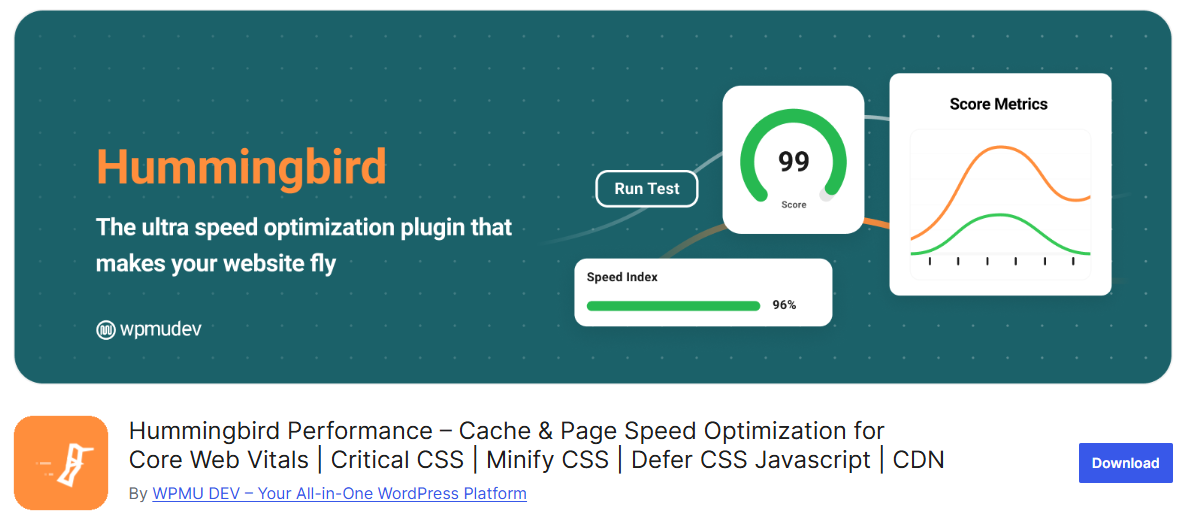
The last plugin on this list is Hummingbird. This plugin is developed by WPMU DEV and focuses on improving speed through caching and performance tweaks. I like it because it combines useful features with a clean and user-friendly interface.
What makes Hummingbird stand out is its performance scanning tool. It analyzes your website and gives you suggestions on what to improve. This is really helpful if you’re not sure where to start with optimization.
In the free version, you get page caching, browser caching, and GZIP compression. These features help reduce load time and improve overall site speed. It’s a solid foundation for performance optimization.
Another feature I find useful is file optimization. Hummingbird can minify CSS, JavaScript, and HTML files to make them smaller and faster to load. It also allows you to defer or delay scripts for better performance.
The plugin also provides uptime monitoring and basic performance reports. You can keep track of how your site is performing over time. It’s a nice addition if you want more visibility into your website speed.
Overall, Hummingbird is a well-rounded performance plugin with a modern interface. It’s beginner-friendly but still offers useful optimization tools. If you want a mix of caching and performance insights, this plugin is a great option to try.
Final Thoughts
At the end of the day, improving your website speed doesn’t have to be complicated. With the right caching plugin, you can significantly reduce load time and create a better experience for your visitors. Sometimes, even a small improvement in speed can make a big difference in how people interact with your site.
From my experience, the key is to keep things simple and avoid overloading your site with too many tools. Just pick one caching plugin that fits your needs and configure it properly. A clean and well-optimized setup will always perform better than a complicated one.
As your site grows, you can always explore more advanced optimizations if needed. But for now, starting with a reliable free caching plugin is already a big step forward. Focus on consistency, and your site performance will improve over time.